
License Help
When Will My License Expire?
Get the definitive answer from the FCC
The steps below show how to find your license expiration date at the FCC. If you have an account at QRZ.com, you can also find it there.
-
Search for your license
Go to the FCC License Search page: FCC License Search.
Enter your call sign in the search box (shown in red below), then click the search button (shown in green). You'll be taken to a search results page.
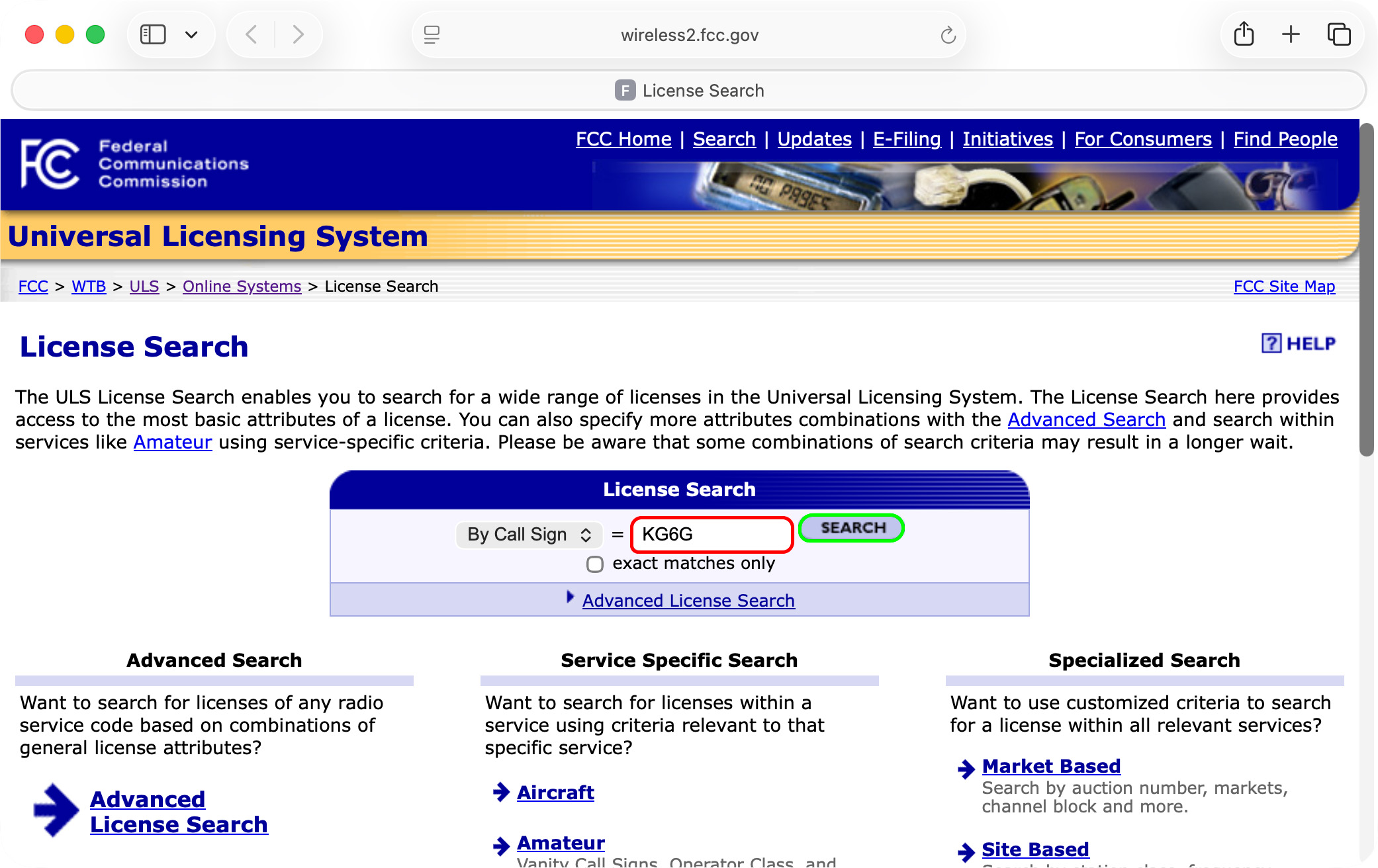
FCC License Search page with a call sign entered. -
Select your license from the list
Your search may show more than one result. That can happen, for example, if the call sign was held by someone else in the past.
Just scan down the list to find the entry that matches your name. In the screenshot below, the desired callsign has been highlighted with a green rectangle. Click on the callsign in that row and you'll be taken to the final page.
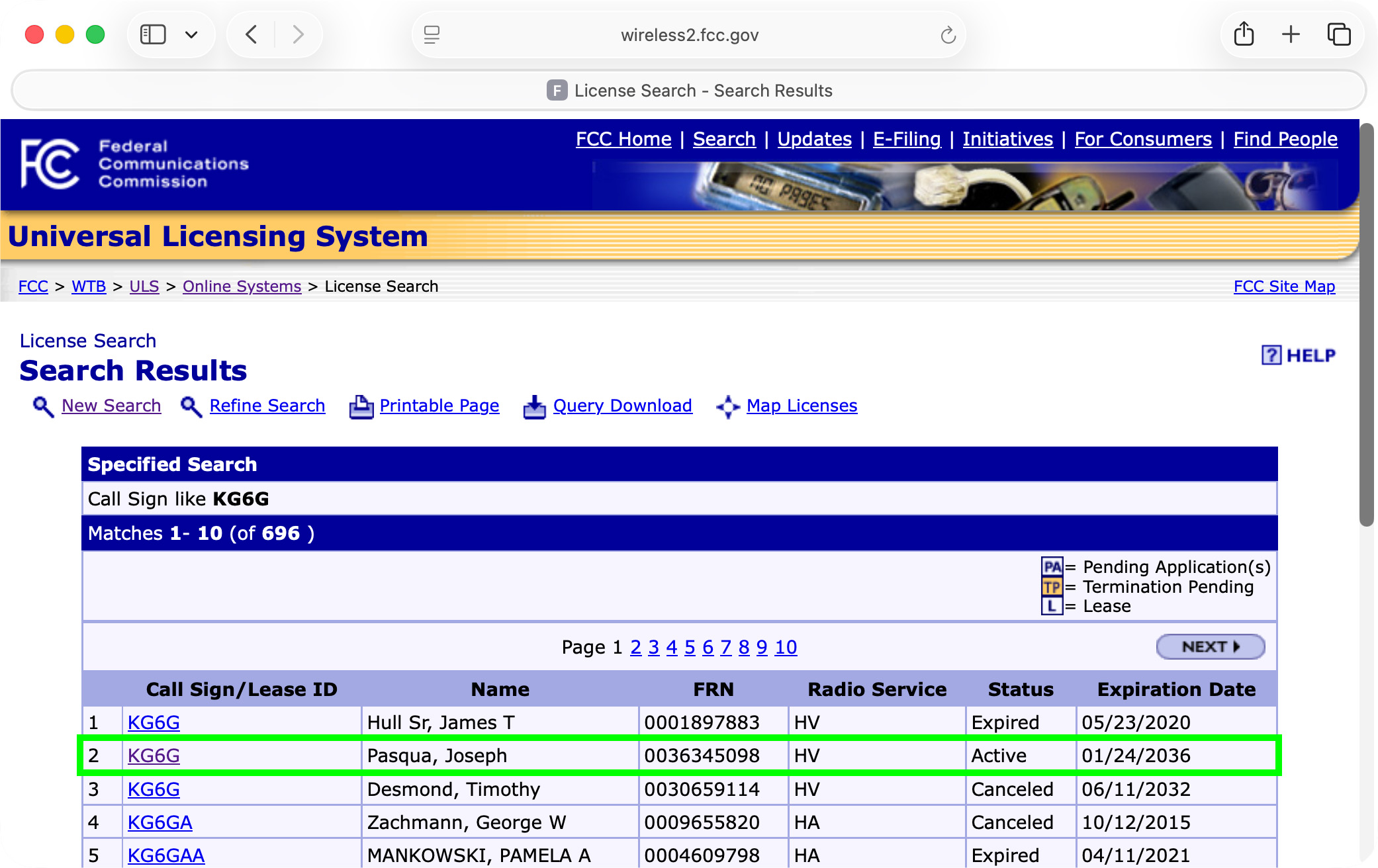
Search results showing multiple license records. -
Check the expiration date
The final page shows details about the selected license, including the expiration date which is highlighted with a green rectangle.
If it's time to renew your license, check out our video, which will walk you through the entire process. If you need more help, reach out to us, and we'll give you a hand.
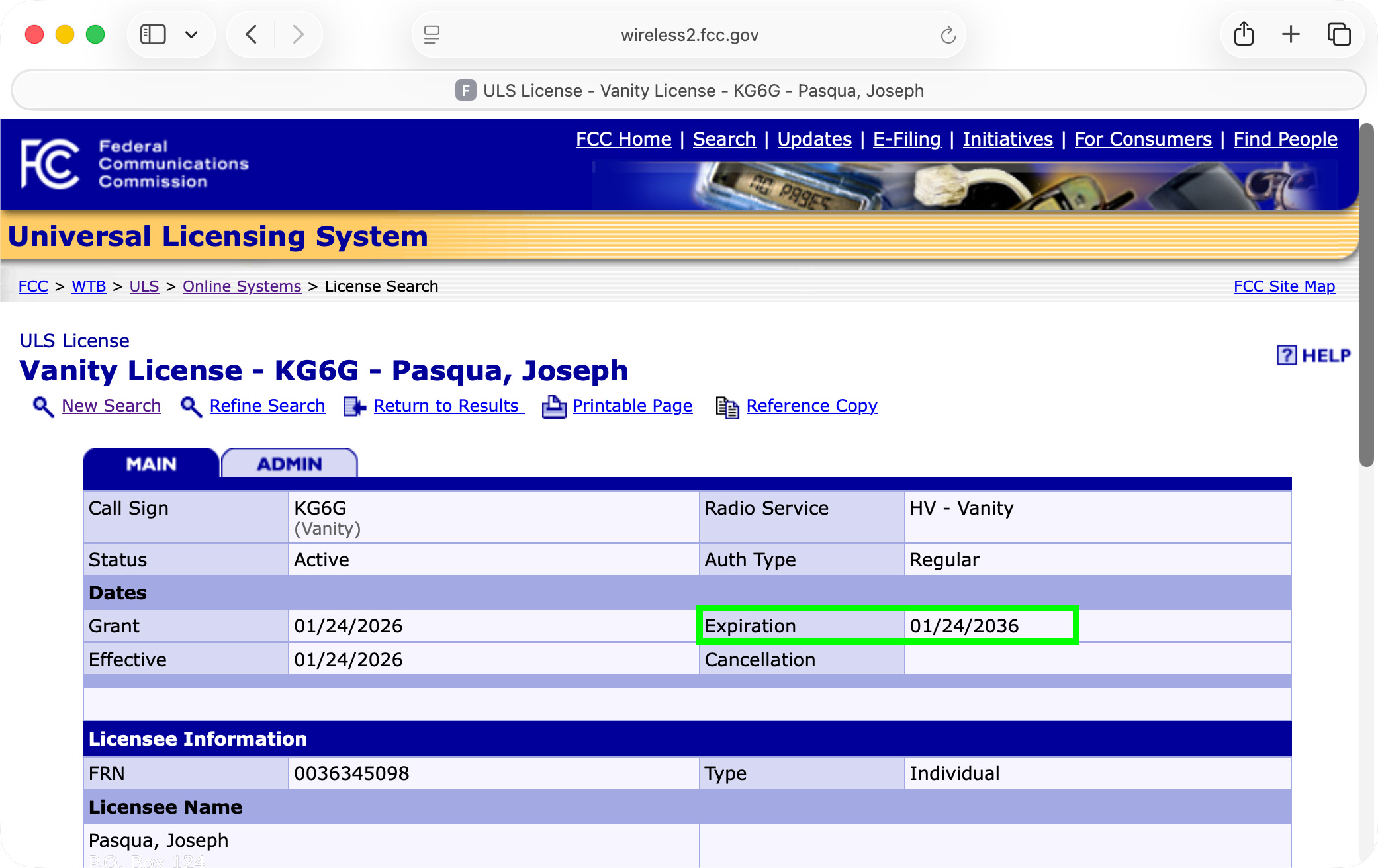
License details page showing the expiration date.
Still not sure?
If you run into trouble finding your record, contact us and we will do our best to help.